TKMM v2.0.0-rc1: Full Changelog
Download from the official website or use the in-app auto updater.
Full GitHub history since last update: v2.0.0-beta3…v2.0.0-rc1
Important note to mod authors
New icons were added to the game in 1.4.0. If one of your mods contains edits to any of the __Combined.bntx files inside the archives from romfs/UI/LayoutArchive, those edits will need to be redone using the BNTX files from the latest version. Doing so will help ensuring your mod’s compatibility across all versions from 1.1.0 through 1.4.2.
Important note to mod users
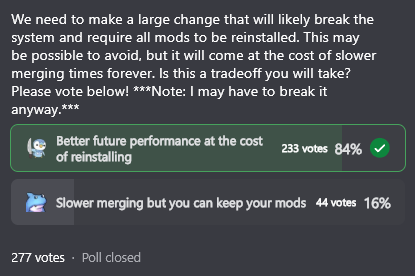
As was voted on Discord a few months prior, this update made many changes to the changelog formats, this means that all your mods will need to be reinstalled in the new version. For TKCL mods, you will need to wait until the authors have updated their mod with the new TKCL format.
Changes
- Support added for TotK versions 1.4.0, 1.4.1 and 1.4.2
- The
Installbutton has been renamed toAdd Mod - The
Mergebutton has been renamed toApply - Network and download errors are truncated to avoid log spam
- Internet related errors now occur silently when connectivity is unavailable
- The “Enable” button on the TotK Optimizer page is now replaced with an ON/OFF toggle
- RecipeArray now uses direct index merging
- English is now used as the default language if the selected target language is not found in the mod
- Simplified Chinese and Traditional Chinese translations have been added thanks to carbonatedtea
- Added support for Brazilian Portuguese / USpt (only works with TotK 1.4.0 and higher)
- Sub-files in SARC archives will now be merged with files that have the same canonical path in other archives
- Deletions in BYML maps are now applied last to avoid merging errors (when a mod deletes a key later edited by another mod) - this was previously the case for arrays and is now also applied to maps
- The setup wizard was improved for clearer step by step guidance
- In manual mode on the setup window, you can now simply input the name of the emulator - making sure it runs in the background will help with detecting all folder paths automatically
- Added support for auto-setup with emulators using the .AppImage format on Linux (the file must match the emulator’s name, like
Citron.AppImagefor example)
Fixes
- Resource table entries should now be properly estimated, issues that required using the external RESTBL calculator are now fixed
- Fixed unchanged float / double values incorrectly detected as edits (e.g: in files reserialized by Starlight where values have less than 0.0001 difference with vanilla)
- Fixed the app status not updating correctly after merge failures
- Fixed an issue with NAND paths incorrectly detected as invalid
- Fixed split XCI files being misread as NSP
- Fixed TotK Optimizer sliders resetting to 100 when reloading the page
- Fixed errors due to broken json config files (corrupted files cannot be recovered but will be reset)
- Fixed issues with moving mods to the top and bottom of the list
RomfsLite
The issues due to lack of memory when launching TotK with mods (introduced since the Switch firmware 20.0.0) are now a thing of the past! Thanks to the RomfsLite feature from the TotK Optimizer (Ultracam) developed by MaxLastBreath.
This is accomplished by injecting code into the game and modifying the functions that handle loading files. Basically, it tells the game to directly load RomFS files from a specific folder (romfs renamed to romfslite).
On top of this, it also allows hot-swapping mod files while the game is running, which can be extremely useful for mod developers (this requires reloading a save after swapping files).
We recommend using the version that is integrated to TKMM, which you can enable by going to the TotK Optimizer page (star icon on the navigation bar).
-
If you use TKMM-NX, simply enabling the optimizer is enough, this feature will be enabled by default.
-
If you use TKMM on PC, you need to enable the option in
Settings>Mergingand ensure the optimizer is enabled. -
To use this feature on emulators, it is required that you change the merge output to this folder in the emulated SD card:
atmosphere\contents\0100f2c0115b6000
Note: other FPS mods like FPS Locker are not compatible with Ultracam
Custom URI handler
We have implemented a new way of navigating and redirecting users when they need to be guided to a specific location in TKMM, or in the settings.
Here is a prime example of where this can potentially be useful: did a user merge their mods with the incorrect target language, and all modded text appears as MsgNotFound? Just send them the link https://redirect.tkmm.org/settings/merging and it will redirect them to tkmm://settings/merging where they can select the correct language!
Improved GameBanana browser
You can now preview mod pages from GameBanana directly from the browser inside TKMM!
All mod URLs like https://gamebanana.com/mods/<ID> are replaced with tkmm://mod/<ID> inside the description of each mod, which makes it so you can navigate from one mod page to the other when a mod links to another in its description.
Just like previously explained, a link like https://redirect.tkmm.org/mod/<ID> will redirect you to the mod’s page inside TKMM.
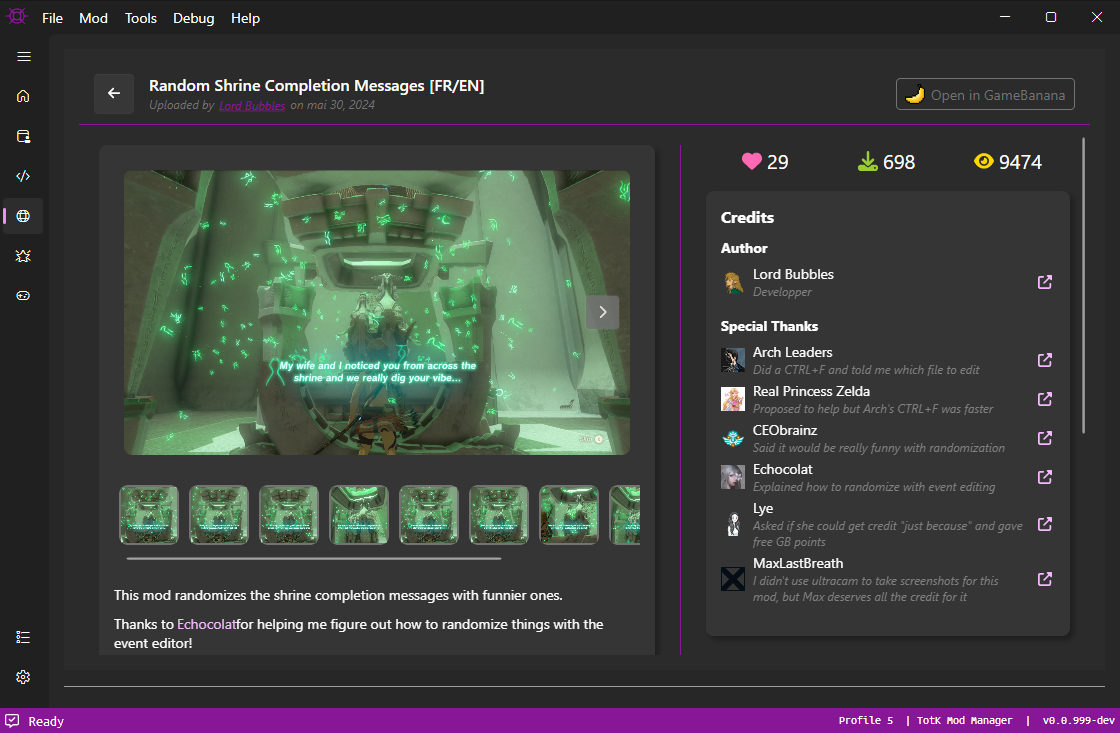
Additionally, links like tkmm://mod/<ID>/<fileID> allow you to directly install a specific file from a gamebanana mod submission.
Here is an example using the mod “Random Shrine Completion Messages” if you would like to test this feature after updating to the latest version of TKMM:
- To open the page: tkmm://mod/517056
- To install the mod: tkmm://mod/517056/1206108
Title Screen Indicator
This new addition is a mod dynamically built by TKMM when applying your current profile. It displays an indicator on the title screen so that you can directly tell whether or not your mods are properly installed.
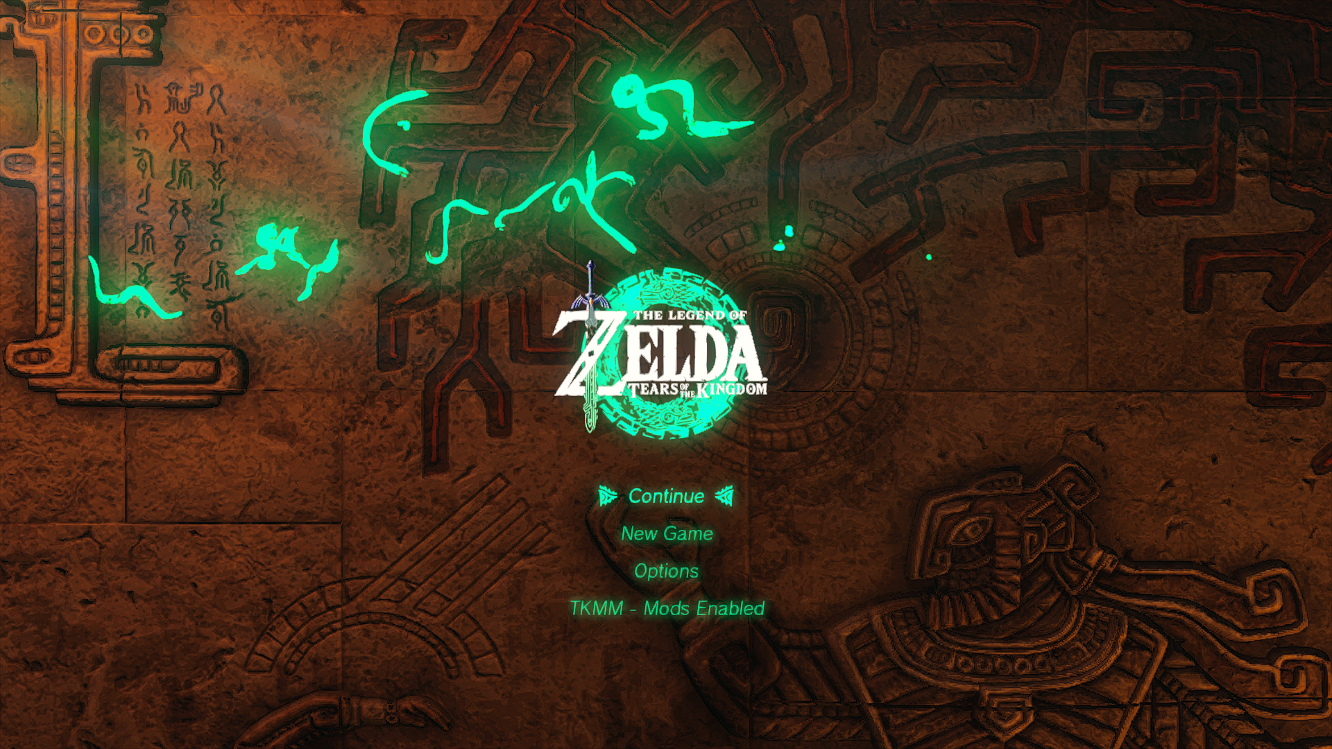
This is added at the lowest priority, which means that if any of your mods edits the same text entry, that mod will overwrite it.
Changes to the Setup Wizard
The manual setup page was confusing in the previous version. The fields for all dump types were available, which led many to believe it was necessary to fill every path.
Now, during the setup process, the wizard only asks for individual elements, step by step, and it asks only for what it needs (or in better words, what it wasn’t able to detect automatically).
For the manual emulator setup process, it is strongly recommended to launch the emulator, and enter its exact name in the setup window. This will allow TKMM to detect the location of the running emulator executable, and find all the information it needs based on that emulator’s configuration.
TKMM-NX
Changes
- The Logs folder location has been changed to
tkmm/Logson the SD card - The WiFi settings page is now the first step of the setup wizard
- Initial setup now provides more information about what dumps are missing, if any
- Fixed a crash occuring when clicking certain UI elements (missing library dependency)
- TKMM-NX is now capable of handling OS image self-updates - when updating, it will reboot the Switch completely rather than just close and reopen TKMM
A new config file was added at tkmm/config.ini which allows customizing a few things:
- the scale of the application, in case the text or UI elements are either too big or too small
- the volume for the sound card, in case the sound played when taking a screenshot is either too loud or too quiet
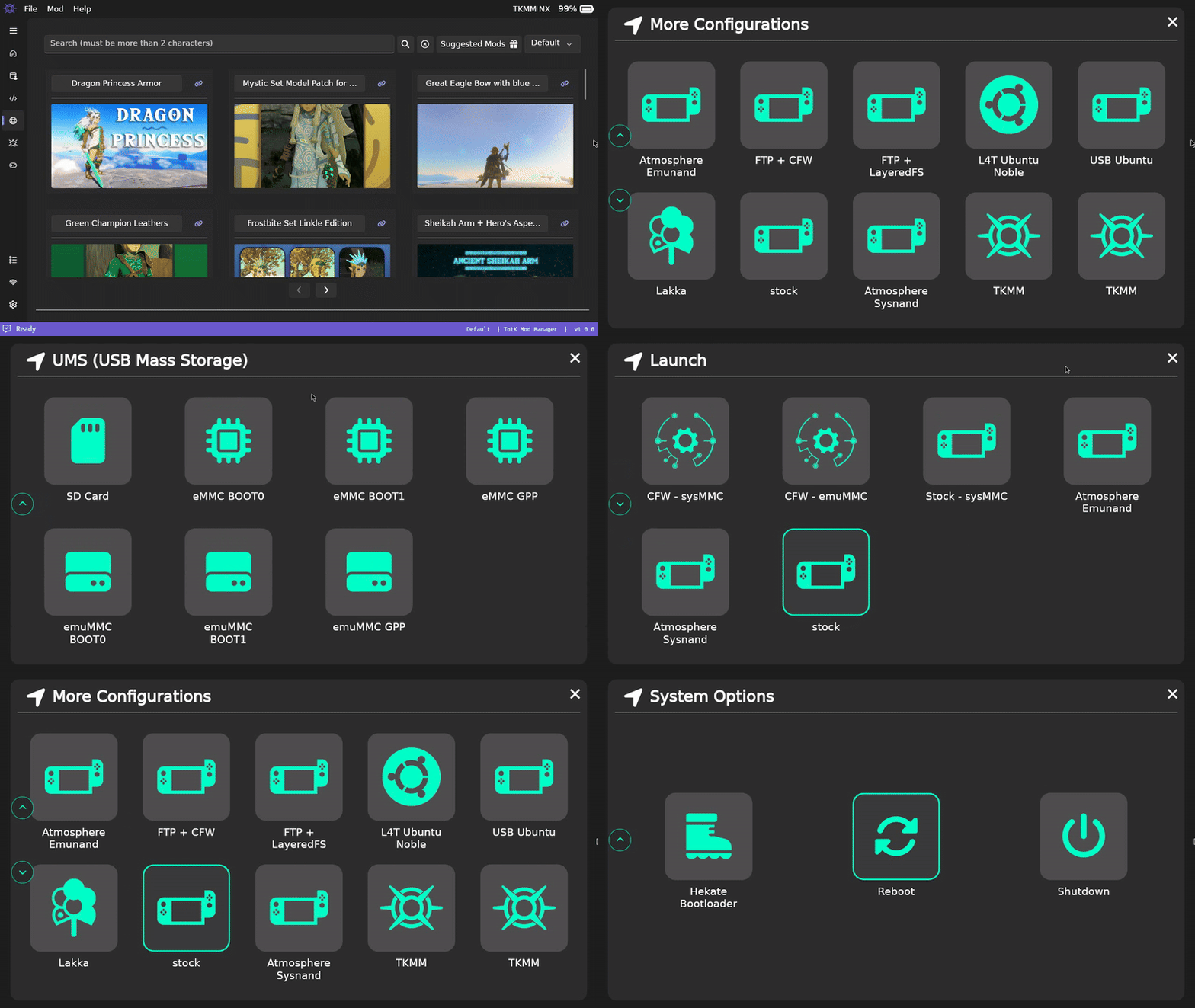
New menu: Reboot2Config
The R2C menu replaces the power options popup when pressing the Home button. It allows you to directly reboot to your desired boot entry, without needing to go back to Hekate.
Bug Reporting
Please report bugs in #bug-reports on Discord, or post a new issue on GitHub.
Contributors to this update
- Arch Leaders
- Lord Bubbles
- MaxLastBreath (Ultracam / RomfsLite)
- Aster (gathered as many toasters as possible so we could warm the regards)
- carbonatedtea (Simplified Chinese and Traditional Chinese translations)
Looking for Developers
If you are interested in contributing or simply helping with the development of TKMM in general, do not hesitate to submit a PR on GitHub, or join our discord server and let us know how you think you could help.
Obviously, a decent knowledge of C# and/or general programming will be needed. TKMM is written entirely in C# and AXAML (Avalonia eXtensible Application Markup Language, for the UI).
As it stands, we do not have a lot of free time to work on this project, so the commits are pretty slow, and we would love if someone with a passion for the project would be happy to step in.
Support the project
TKMM is a project built by a small but dedicated team who care very much about making modding Tears of the Kingdom accessible. In order to support our community, we are paying for a custom domain name and a server.
All of these costs, are currently covered out of our own pockets. Although the cost is minimal, the ongoing expenses add up over time, and if you find this project helpful, or would just like to show appreciation for the work we do, we would sincerely appreciate your support. Even a small donation helps cover the costs of server uptime, web infrastructure, as well as allows for further improvements, new features, and better reliability.
Additionally, we need your help so that Aster can keep buying toasters. We intend to buy all the toasters in the world to make our regards as warm as possible, at each and every anouncement.
If you would like to help sustain the project, or simply say “thank you” to the developers, we have reopened our Ko-Fi page for donations. Your support directly encourages further development. We are deeply grateful for any and all contributions, no matter the amount. Thank you for being part of our community!
Warmest regards,
The TKMM Team